
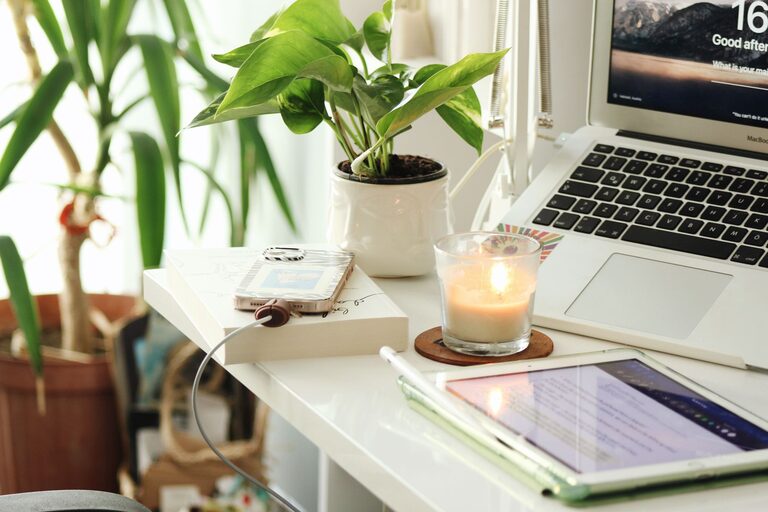
Creating a relaxing home workspace is essential for boosting productivity and maintaining well-being, especially if you spend a significant amount of time working remotely. A calm, comfortable environment helps reduce stress, enhance focus, and make work feel less tiring. Whether you’re setting up a new area or improving your current space, the following tips can help you create an inviting workspace that supports your best work.
Why a Relaxing Workspace Matters
Your workspace affects how you think, feel, and perform during your workday. A cluttered, uncomfortable, or noisy environment can be distracting and overwhelming. On the other hand, a well-designed workspace promotes productivity by helping you stay organized, energized, and calm.
By making your home workspace relaxing, you enable yourself to maintain concentration for longer periods and avoid burnout. When your surroundings support your mental and physical needs, work becomes more enjoyable and manageable.
Choosing the Right Location
Consider natural light
If possible, set up your workspace near a window where you can enjoy natural daylight. Natural light improves mood and reduces eye strain. Avoid seating directly facing a bright window to prevent glare on your screen, but position your desk so light comes from the side.
Minimize distractions
Pick a quiet spot away from household noise, such as busy living rooms or kitchens. If that’s not possible, consider soundproofing options like noise-canceling headphones, rugs, or curtains that help absorb sound.
Prioritize Comfort
Invest in a good chair
A comfortable, supportive chair is one of the best investments for your workspace. Look for chairs with adjustable height, lumbar support, and cushioning to help maintain good posture during long hours.
Optimize desk height
Your desk should allow your arms to rest comfortably at a 90-degree angle while typing. Adjustable desks can help you alternate between sitting and standing, which benefits your health and comfort.
Regulate temperature
Make sure your workspace is neither too hot nor too cold. Use a fan, heater, or open a window to maintain a pleasant temperature. Comfort helps you focus better and reduces irritability.
Organize and Declutter
Keep essentials within reach
Arrange your desk to keep frequently used items like pens, notebooks, or headphones within easy reach. This minimizes unnecessary movement and keeps your work flow smooth.
Use storage solutions
Drawers, shelves, or bins help store items not immediately needed, creating a tidy space that reduces visual distractions. Labeling containers can also help you find things quickly.
Declutter regularly
Spend a few minutes at the end of each day clearing your desk and organizing papers. A clean workspace helps reset your mind and prepares you for the next day.
Add Soothing Elements
Choose calming colors
Colors influence mood. Soft blues, greens, and neutral tones promote relaxation and focus. If repainting isn’t an option, add accessories such as cushions, rugs, or artwork in gentle hues.
Incorporate plants
Indoor plants improve air quality and add a refreshing touch to your workspace. Easy-to-care-for plants like succulents, spider plants, or pothos require minimal maintenance and boost your mood.
Use gentle lighting
Avoid harsh overhead lights. Instead, opt for soft desk lamps or adjustable lighting that lets you control brightness. Warm light helps create a cozy atmosphere without causing eye fatigue.
Establish a Routine
Set work hours
Define your start and end times to create structure and balance work with breaks. A routine helps signal to your brain when it’s time to focus and when to relax.
Take regular breaks
Short breaks every hour, such as stretching or walking around, refresh your mind and body. Use timers or apps that remind you to pause and prevent burnout.
Personalize your space
Add a few items that inspire or comfort you—a favorite photo, motivational quote, or small decor piece. Personal touches make your workspace inviting and unique to you.
Technology Tips
Manage cables
Use cable organizers or clips to keep cords neat and prevent tangling. A clutter-free desk not only looks better but also reduces frustration.
Choose the right equipment
Ensure your computer, keyboard, and mouse are ergonomically designed or set up properly to avoid strain. Consider adding a monitor riser so the screen is at eye level.
Use productivity tools
Apps for task management, focus timers, and note-taking can support your work habits. Find tools that fit your style to stay organized and motivated.
Conclusion
A relaxing home workspace is more than just a place to work—it’s a personal environment that enhances focus, comfort, and efficiency. By thoughtfully selecting your location, prioritizing comfort, staying organized, and adding calming elements, you can create a workspace that helps you thrive. With the right setup and habits, working from home becomes a positive and productive experience. Take the time to design your space, and you’ll likely notice a boost in both your work quality and overall well-being.