
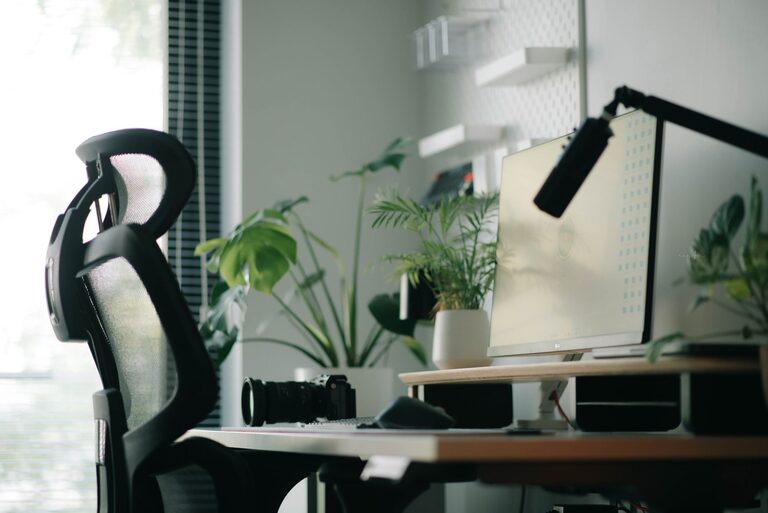
Creating a home office that feels both cozy and functional can greatly improve your productivity and overall well-being. Whether you work remotely full-time or occasionally use the space for personal projects, having a well-designed office at home is essential. In this post, we’ll explore practical tips to help you build an inviting workspace that encourages focus and comfort.
Why a Cozy and Functional Home Office Matters
A home office is more than just a desk and a chair. It’s a space that should inspire creativity, keep distractions away, and support your tasks efficiently. When your workspace is cozy, you feel more relaxed and motivated. Functionality ensures you have everything you need within reach and reduces clutter.
Balancing these two aspects is key to maintaining good work habits while enjoying your environment.
Choose the Right Location
Consider Natural Light
Opt for a spot in your home that benefits from plenty of natural daylight. Natural light boosts mood and reduces eye strain. If possible, place your desk near a window to enjoy the view and fresh air.
Minimize Noise
Pick a quiet area where noise won’t easily interrupt your concentration. If your home is busy, consider rooms with doors you can close or use noise-cancelling headphones.
Assess Space and Privacy
Make sure the space suits your needs. A small nook can work for short tasks, while those with longer work hours may prefer more room. Privacy is important to keep distractions low and meet virtual call etiquette.
Ergonomic and Comfortable Furniture
Invest in a Good Chair
A comfortable chair with adjustable height and lumbar support prevents back pain during long work sessions. Try before you buy if possible, or read reviews to find one that suits your posture.
Choose the Right Desk
Your desk should be at a height that allows your arms to rest comfortably while typing. Standing desks or adjustable desks are also great options for flexibility.
Add Footrests and Accessories
Consider adding a footrest or wrist supports for added ergonomic comfort. These small additions can make a big difference.
Organize and Declutter
Use Storage Solutions
Keep your workspace tidy with shelves, filing cabinets, or storage bins. Organized storage helps reduce stress and keeps essential items within reach.
Declutter Regularly
Spend a few minutes at the end of each day clearing your desk of unnecessary items. A clear surface helps you start fresh each morning.
Cable Management
Use clips or sleeves to organize cables and cords. This not only improves safety but also gives a neat appearance to your office.
Personalize Your Space
Add Soft Textures
Incorporate soft rugs, cushions, or throws to make the office feel warm and inviting. Choose materials that are easy to clean and maintain.
Bring in Plants
Indoor plants improve air quality and add a lively touch. Choose low-maintenance options like succulents or pothos if you’re new to plant care.
Display Inspiring Items
Showcase photos, artwork, or motivational quotes. Personal touches can boost your creativity and happiness throughout the day.
Lighting Tips for Productivity
Layer Your Lighting
Combine ambient light with task lighting. A desk lamp with adjustable brightness prevents eye strain while reading documents or working at the computer.
Avoid Glare
Position your screen away from direct sunlight or use curtains and blinds to control glare. This helps prevent headaches and improves visibility.
Use Warm Light for Comfort
While bright white light can keep you alert, warm-toned bulbs create a cozy atmosphere. Adjust your lighting based on the time of day and your work needs.
Technology Setup
Reliable Internet Connection
Ensure you have a strong and stable internet connection, especially for video calls or cloud-based work.
Organize Your Devices
Keep your computer, printer, and other devices in designated spots to avoid cluttering your desk.
Use Wireless Accessories
Wireless keyboards, mice, and headphones can reduce the number of cables and improve mobility.
Create Boundaries
Set Work Hours
Establish clear working hours to separate your professional and personal life.
Use Visual Dividers
If your office is part of another room, use curtains, bookshelves, or screens to create a visual boundary that signals “work time.”
Communicate with Household Members
Let others know your schedule and workspace boundaries to minimize interruptions.
Final Thoughts
Designing a cozy and functional home office is a personal journey. Incorporate elements that reflect your style while focusing on comfort and productivity. By organizing your space thoughtfully and adding touches that make you feel good, your home office will become a place you look forward to spending time in each day. Start small, make adjustments over time, and enjoy the benefits of a workspace that truly works for you.